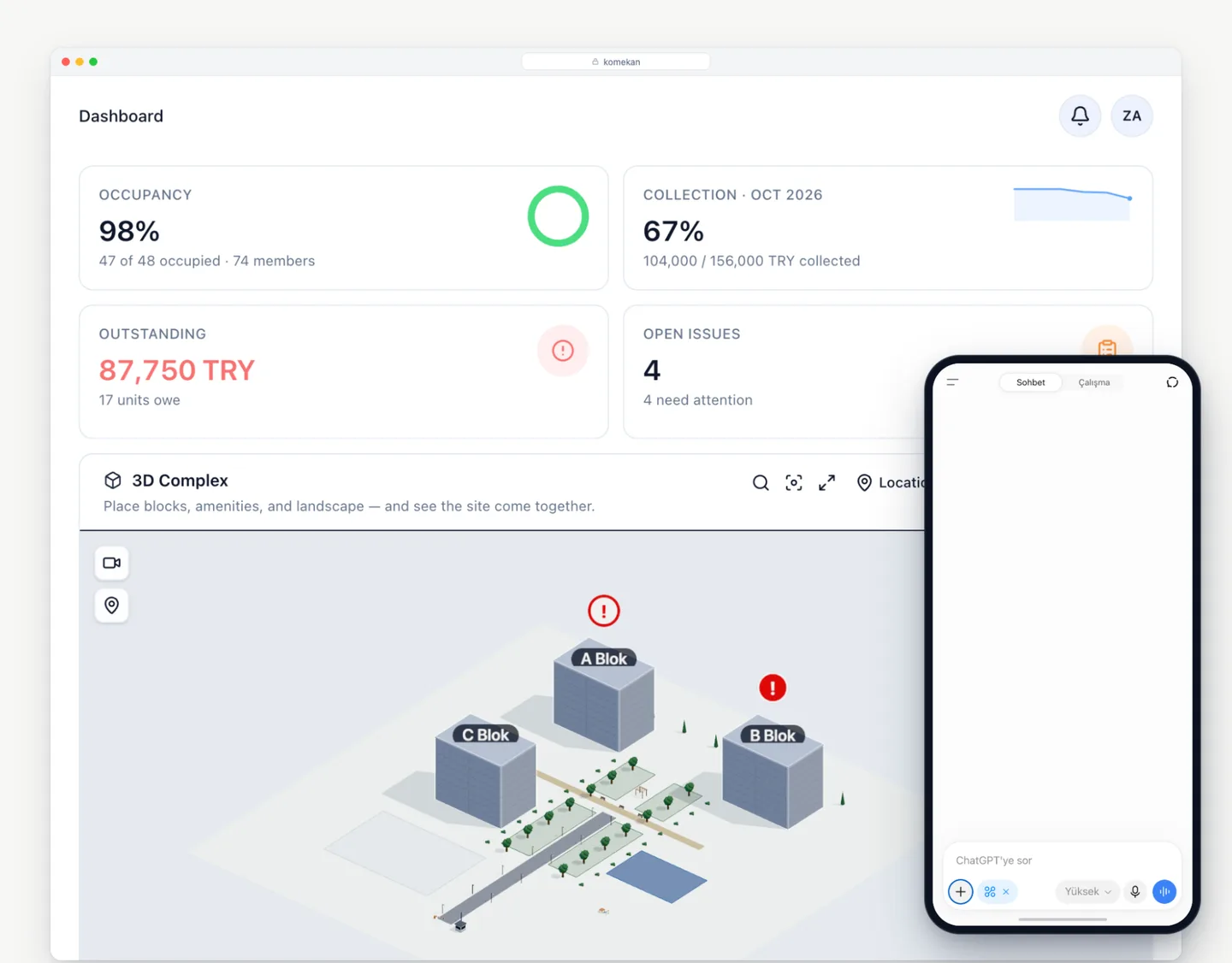
AI assistant · a Komekan tool

Ask; let your assistant answer from Komekan.

Connect Komekan once to ChatGPT or to any other AI assistant you use. Then ask from your phone: who has not paid dues, which faults are open, what is in the cash box. The assistant answers from your community's live data; it cannot change anything and cannot see what your role cannot.

Included in Komekan · No extra charge · Disconnect whenever you like

Ask; let your assistant answer from Komekan.

Which assistants work?

  • ChatGPTShown on this page
  • Claude
  • Grok
  • Cursor
  • GitHub Copilot

The screenshots on this page were taken with ChatGPT. Any assistant that supports Model Context Protocol (MCP) connectors can connect to Komekan; the address is shown under AI connections in Settings.

01

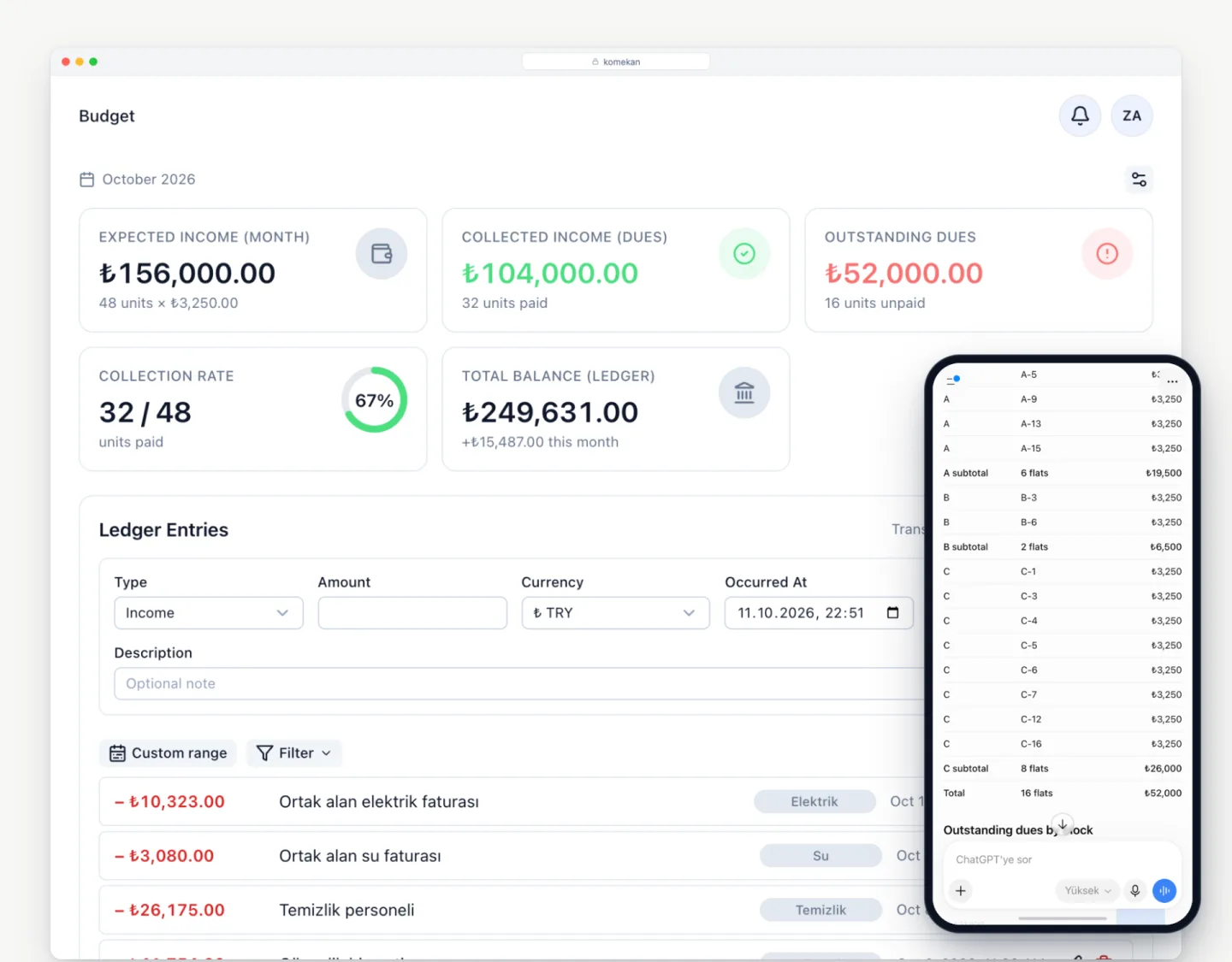
Who has not paid? One question, a current list.

Mid-month the manager gets the same question: who paid, who did not. Answering means opening the app and filtering the list.

You ask your assistant; Komekan reads the dues records as they are right now and lists the unpaid flats with amounts. You can name a block or a month. A tenant or owner asking sees only their own flat's balance.

  • Unpaid flats and amounts
  • Filter by block and month
  • My flat: do I owe anything?
  • Every answer from live data
Who has not paid? One question, a current list.

02

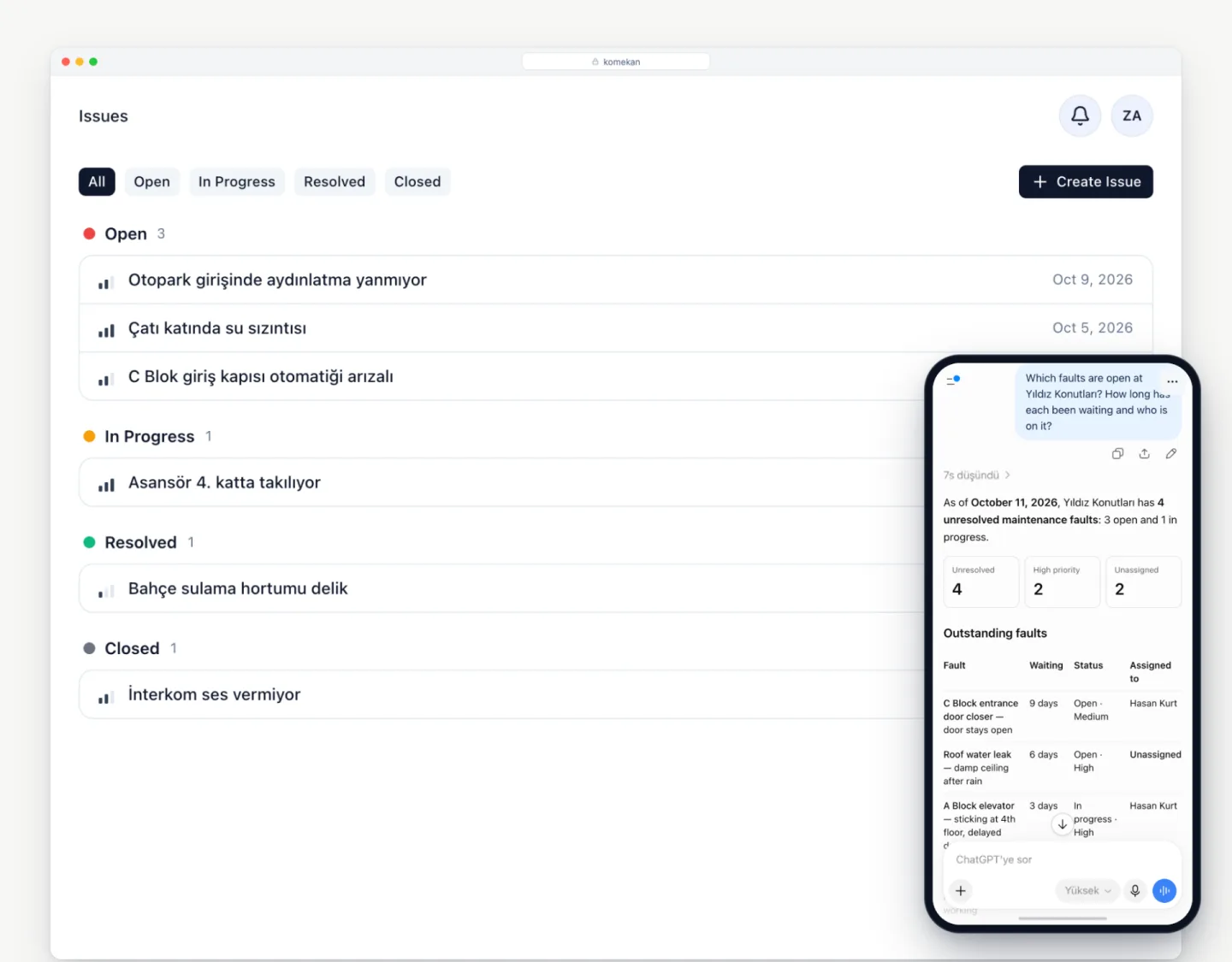
Open faults: who is on it, waiting for how long

The fault list lives in the app; walking into a meeting you want a two-sentence summary on your phone.

The assistant summarises open faults with status, priority, assignee and days waiting. Staff asking see only the jobs assigned to them.

  • Open, in progress, resolved
  • Priority and category
  • Assigned staff member
  • Days waiting
Open faults: who is on it, waiting for how long

03

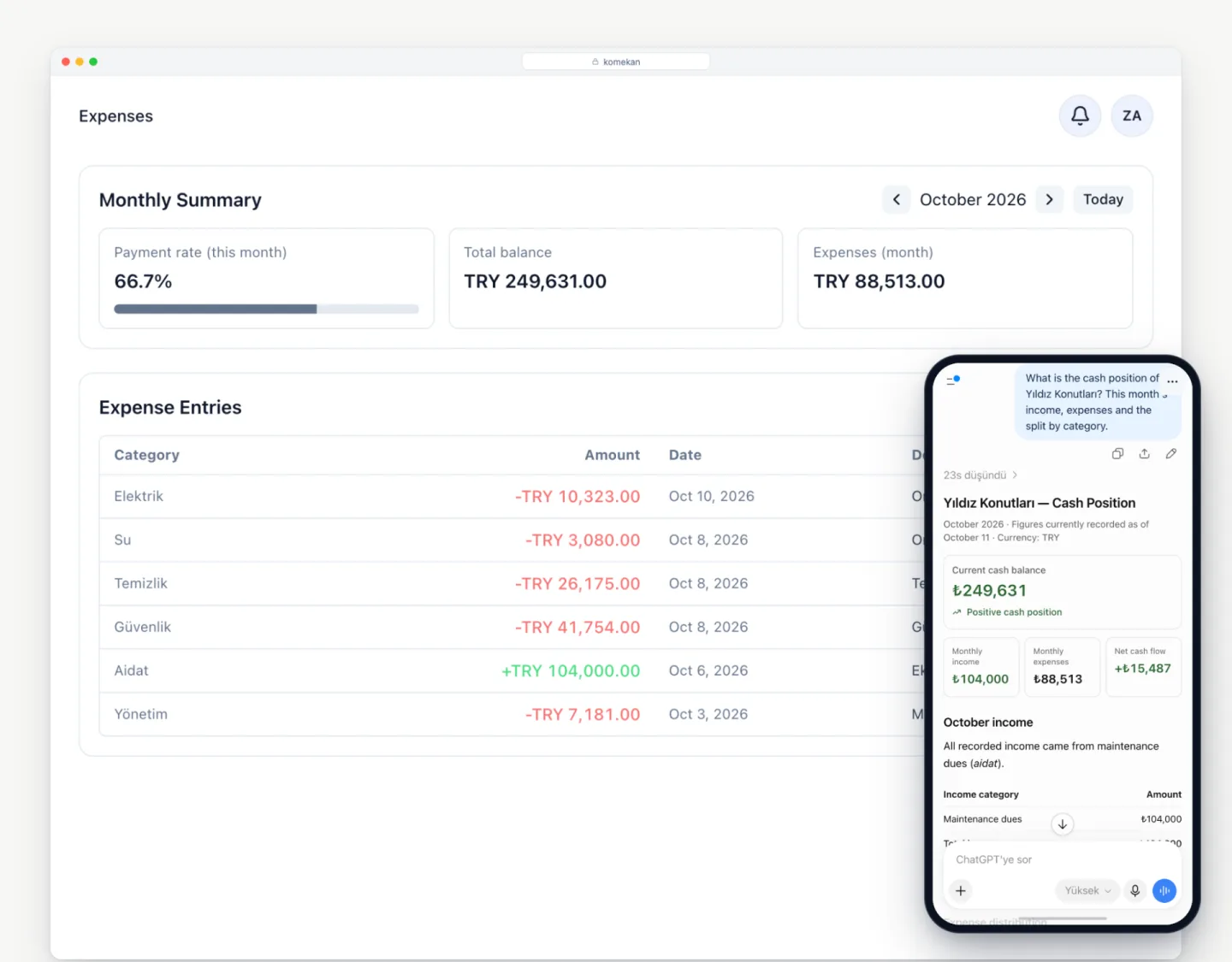
Cash position and where the money went

What is in the cash box, where did most of this month's money go; you want to know without opening the ledger.

The assistant gives the current balance, this month's income and expenses by category, and the closing balances of recent months. Roles without budget access do not get this answer.

  • Current balance
  • Expenses by category
  • Income and expenses by month
  • Recent monthly closings
Cash position and where the money went

04

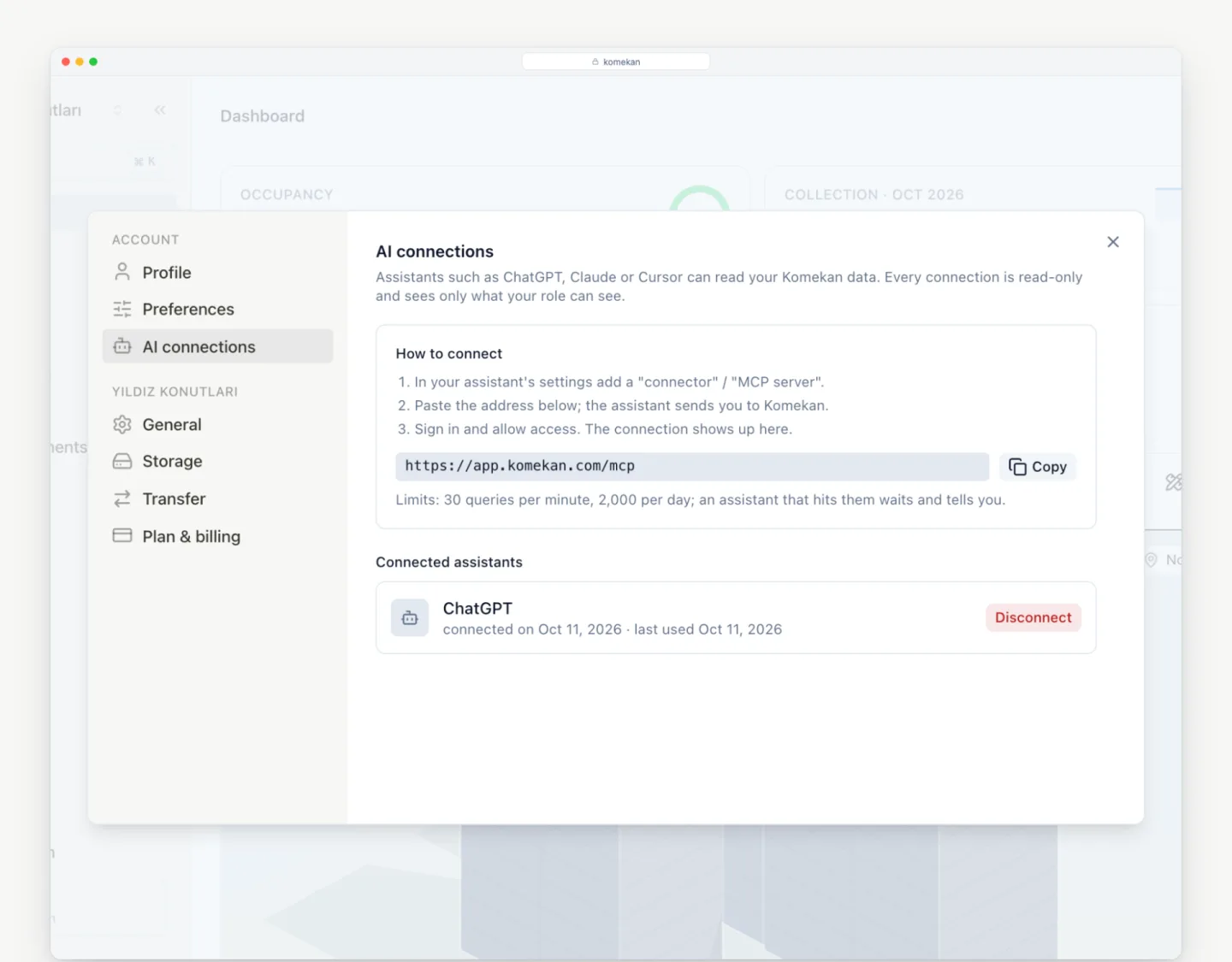
Allow once; read-only; disconnect any time

Opening your data to an AI is worrying: what does it see, what can it do, how do you take it back?

The connection goes through Komekan's consent screen; the assistant gets read permission only and cannot change a record. The AI connections page in Settings shows which assistant is connected, and one click disconnects it. There is a per-minute and per-day question limit; an assistant that reaches it waits and tells you.

  • Consent screen, once
  • Read-only; cannot change
  • Disconnect in one click
  • Question limit; server stays calm
Allow once; read-only; disconnect any time

Ready? Try it now

30-day free trial — unlimited units and residents. No credit card needed.